Welcome to your ultimate guide to Netflix’s secret genre and category codes. Below, we’ve compiled the most comprehensive list of hidden genre codes, content hubs, and frequently asked questions to help you unlock hidden content on Netflix. In total, we have listed well over 2,200 secret codes!
Navigating Netflix can be challenging, as most regions feature over 8,000 titles across movies, series, and more. Netflix genre codes, often referred to as “secret codes,” let you bypass the standard search algorithm and refine your searches into highly specific categories.
Here is your complete guide on what Netflix category codes are, how to use them, and a few of our favorite hubs to jumpstart your new content discovery journey.
The Master List of Netflix Categories
One highly useful category code you won’t find in the main list below is the “Recently Added” page. You can access it using the code 1592210. (However, for the most up-to-date tracking, our dedicated What’s New on Netflix page is far superior!)
Below, we’ve embedded our complete, searchable list of over 2,000 category codes to help you explore the Netflix library in depth.
Action & Adventure (98)
Comedies (145)
Dramas (218)
Horror & Thrillers (277)
Sci-Fi & Fantasy (103)
Romance (34)
Kids & Family (70)
Anime (19)
Documentaries & Reality TV (87)
Music & Musicals (22)
International & Regional (163)
Other / Miscellaneous (599)
Personalized Category Codes
In addition to the numbered genre codes listed below, Netflix has dedicated URL lists tailored specifically to your viewing preferences.
Chances are you’ve already seen these rows within your Netflix app, but you can also navigate to them directly using the following links:
- Continue Watching – An expanded list of everything you’ve recently been watching.
- Gems for You – A page designed to highlight hidden gems you are likely to enjoy based on your viewing history.
- Trending Now – A real-time hub showing all the titles that are currently trending.
- New and Popular – Displays Top 10 lists, “New on Netflix,” “Worth the Wait,” and what is coming to the platform in the next two weeks.
Netflix Content Collections
In recent years, Netflix has introduced dedicated “hubs” to its service. These collections allow you to delve deeper into specific cinematic universes, creator portfolios, or television networks.
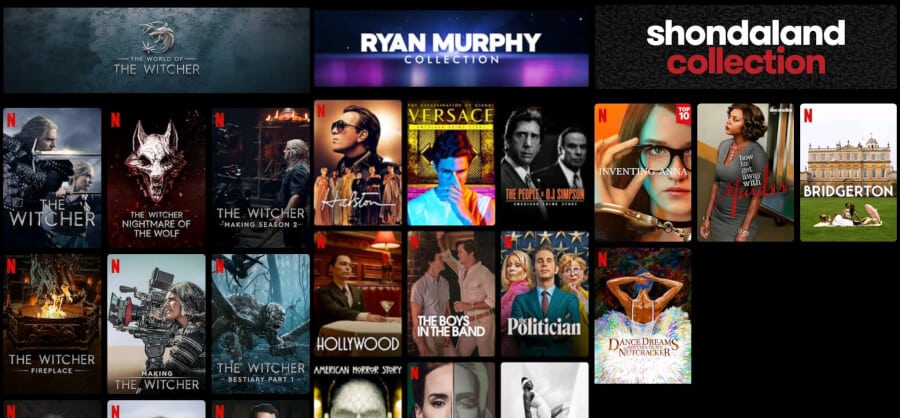
Netflix Collections for The Witcher, Ryan Murphy and Shondaland
Creator & Universe Collections:
- Shondaland Collection (81349039)
- Ryan Murphy Collection (81173845)
- Harlan Coben Collection (81180221)
- WWE Collection (81921063)
- The World of the Witcher (81517755)
Network Collections:
- ABC (108420)
- AMC (81921061)
- BBC (100400)
- HBO (100407)
- NBC (107964)
How to Find Titles Similar to Your Favorites
Another quick way to find great recommendations is by generating a list of similar titles.
Typically, you can find a “More Like This” tab within the app, but you can also manually trigger a more extensive, highly personalized page of suggestions in your web browser.
First, you need to find the Title ID of the show or movie you want suggestions for. You can find this number at the very end of the URL when viewing the title’s page.
Next, navigate to the following URL (replacing the end text with your specific number):
www.netflix.com/browse/similars/INSERT_TITLE_ID
This will take you to a full page of customized suggestions that share the same tone, genre, or themes as the show you were searching for.
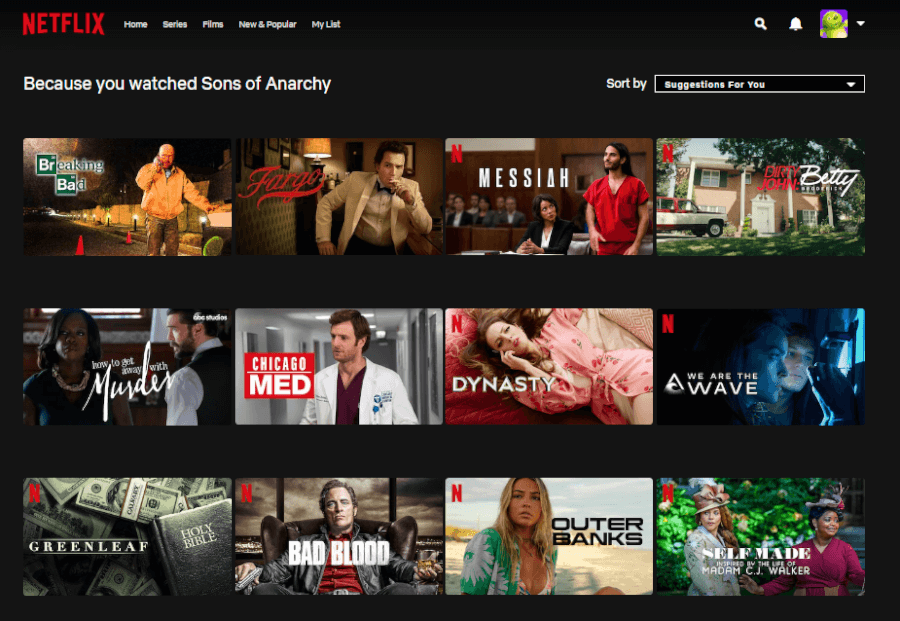
Because You Watched Screen
Seasonal & Specialist Netflix Categories
Netflix frequently activates temporary, seasonal categories to help you find popular content at certain times of the year.
Because these rotate, we’ve prepared separate, dedicated guides for those specific hubs here:
- Netflix Christmas Category Codes
- Netflix Halloween Category Codes
- Anime Category Code Guide
- Valentine’s Day Category Code Guide
- Award-Winning Movies and Series Category Codes
There you have it! We hope this guide helps you bypass the algorithm and find your next great binge-watch.
Did this help you discover a brand-new corner of Netflix? Let us know your favorite categories in the comments below!